旅遊 · 約 2 分鐘閱讀

閱世攻略 新加坡入境卡填寫攻略

2025/01/11
直接閱讀正文 ↓
/www/orgs.pro/web/images/image/1757/17571078.avif

新加坡入境卡填寫攻略

3分鐘

網頁版填寫指南

填寫網址:

https://eservices.ica.gov.sg/sgarrivalcard/

請務必使用官方渠道:

ICA 的官方 SGAC 電子服務不會要求旅客在提交申請時支付任何費用,請注意偵察盜版網站。

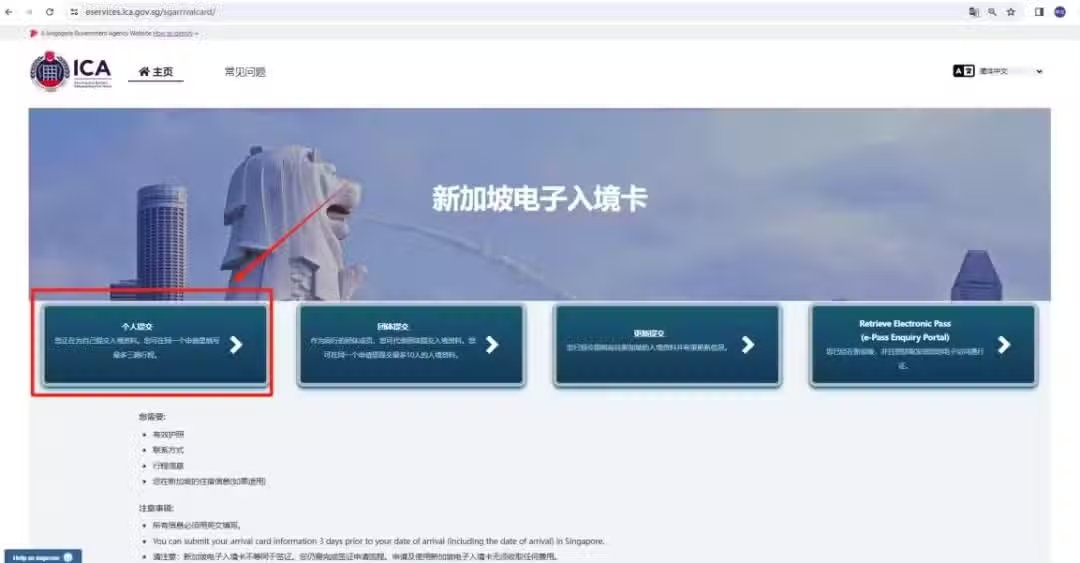
1.提交新加坡入境卡
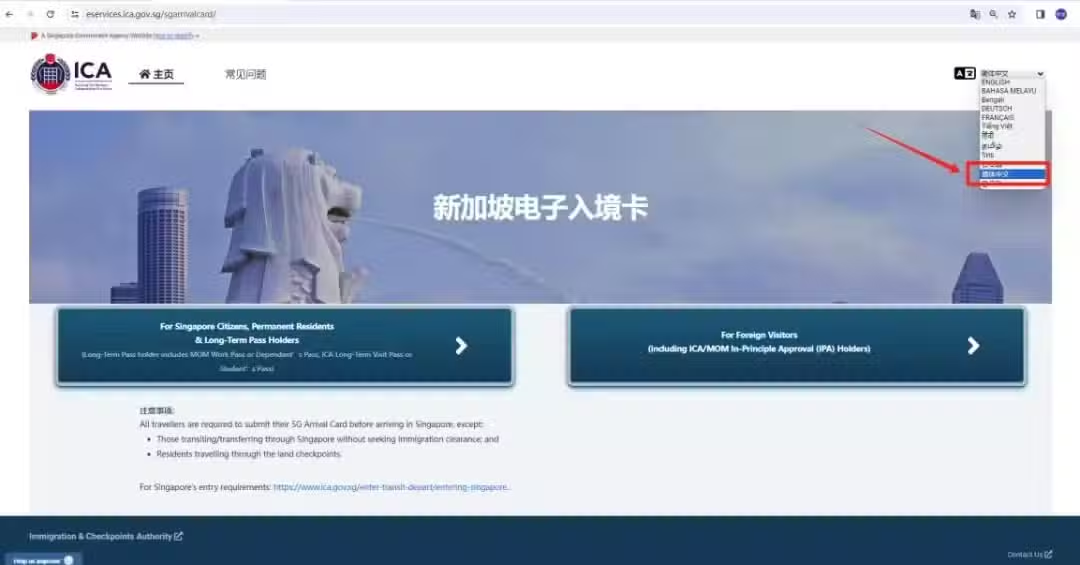
/www/orgs.pro/web/images/image/1757/17571079.avif
/www/orgs.pro/web/images/image/1757/17571080.avif

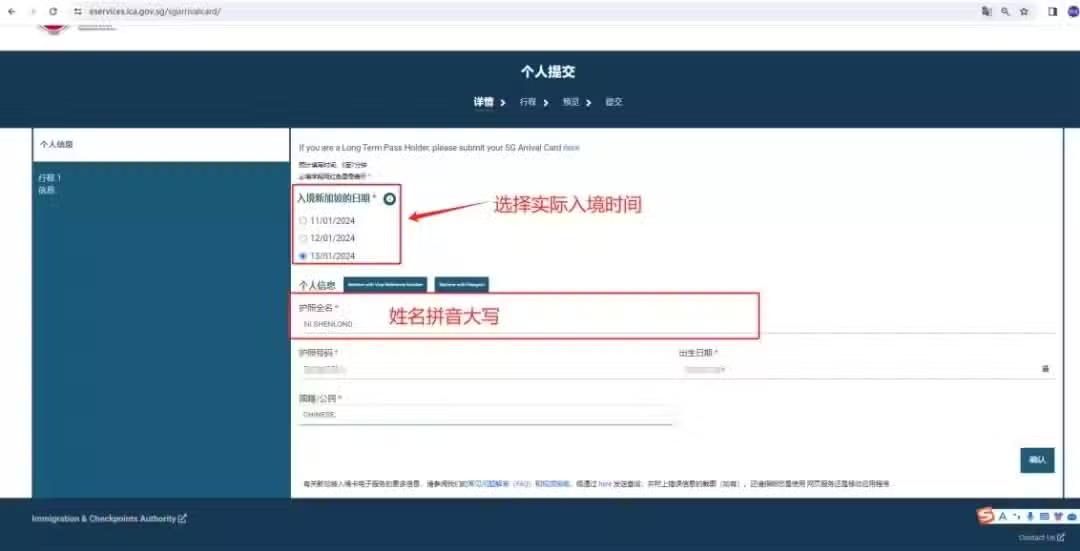
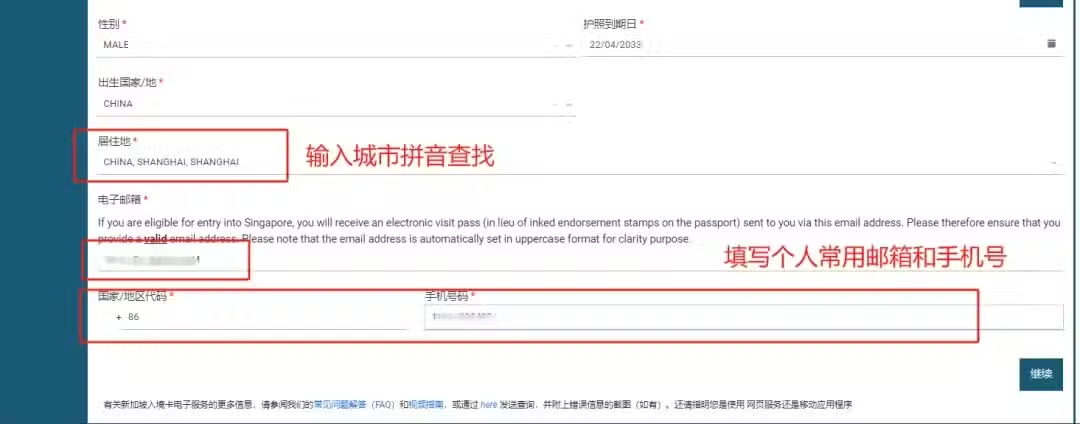
2.填寫個人資料

/www/orgs.pro/web/images/image/1757/17571081.avif
/www/orgs.pro/web/images/image/1757/17571082.avif

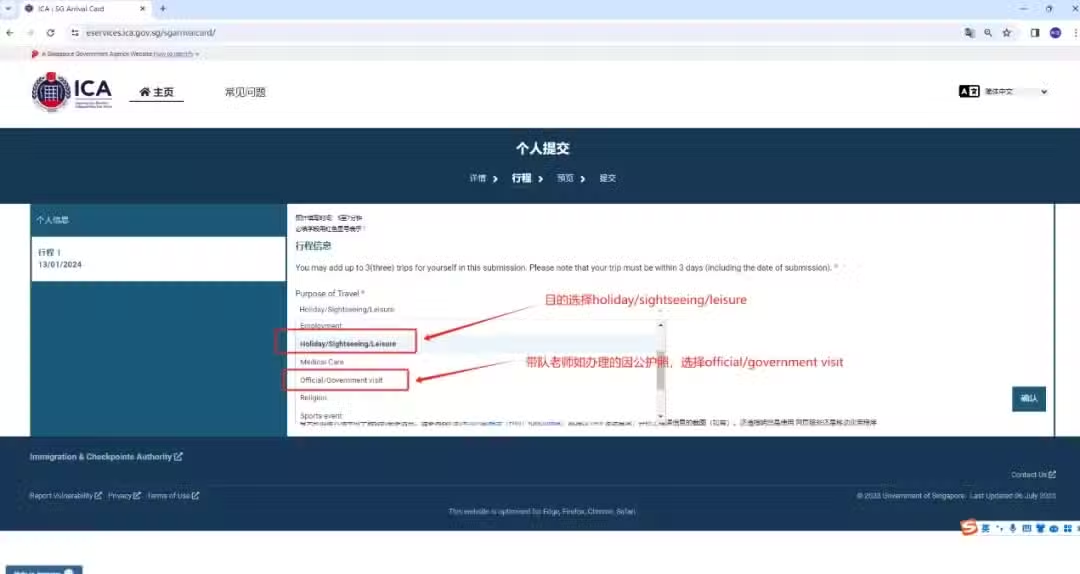
3.填寫行程信息

/www/orgs.pro/web/images/image/1757/17571083.avif

注意:辦理因公護照的老師,在填寫入境卡時候,出行目的需要選擇official/government visit選項
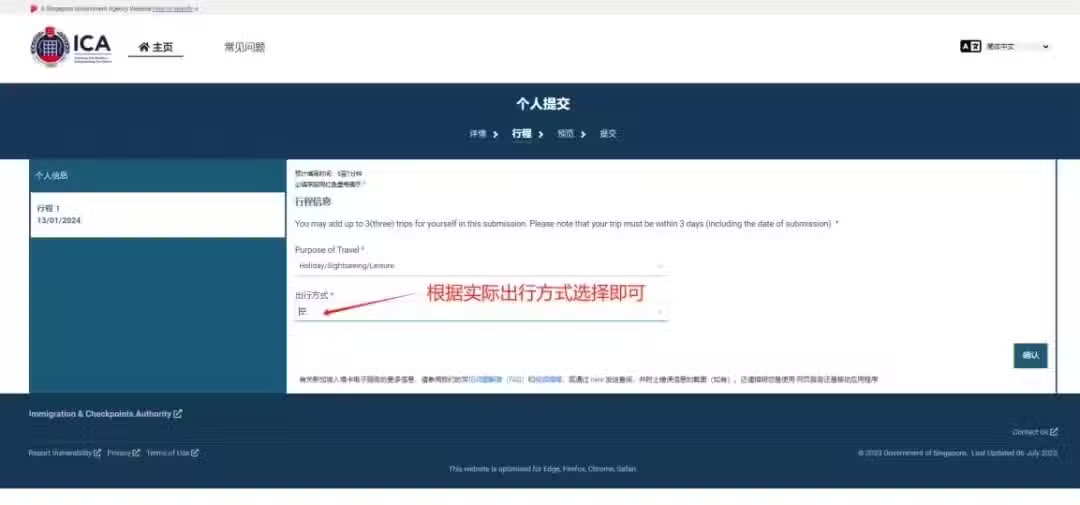
/www/orgs.pro/web/images/image/1757/17571084.avif

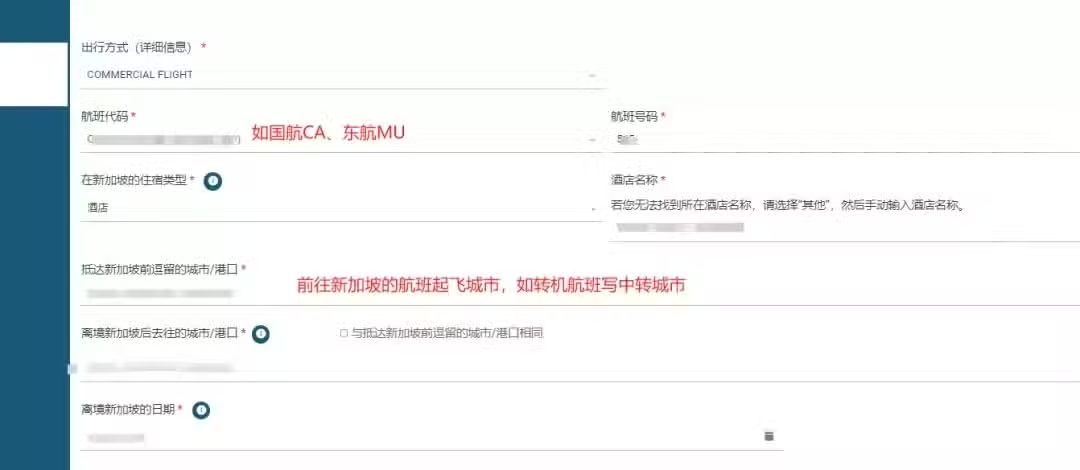
4.填寫航班號和酒店地址

/www/orgs.pro/web/images/image/1757/17571085.avif
/www/orgs.pro/web/images/image/1757/17571086.avif

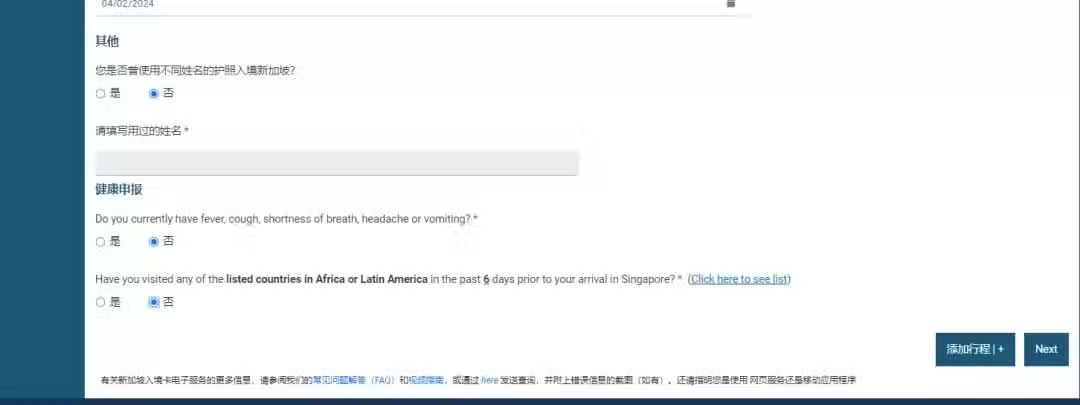
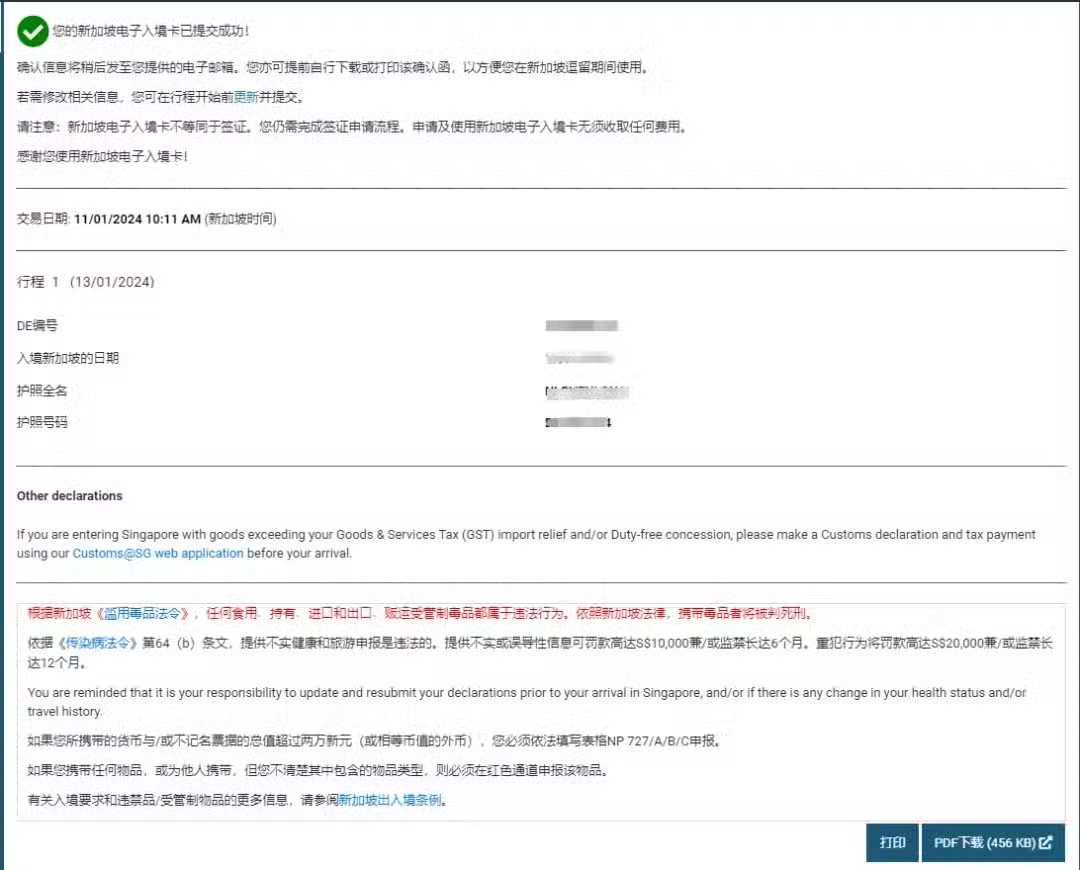
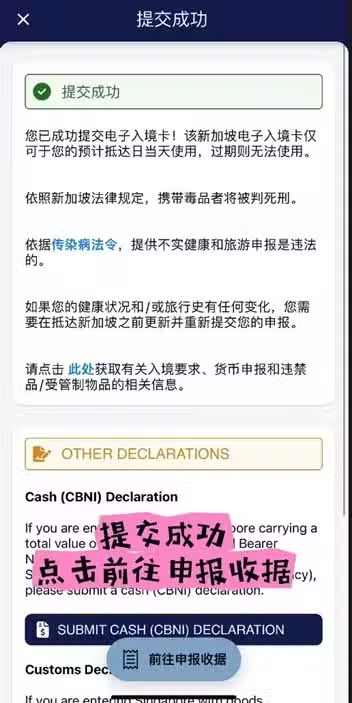
5.完成填寫

/www/orgs.pro/web/images/image/1757/17571087.avif

手機版填寫指南

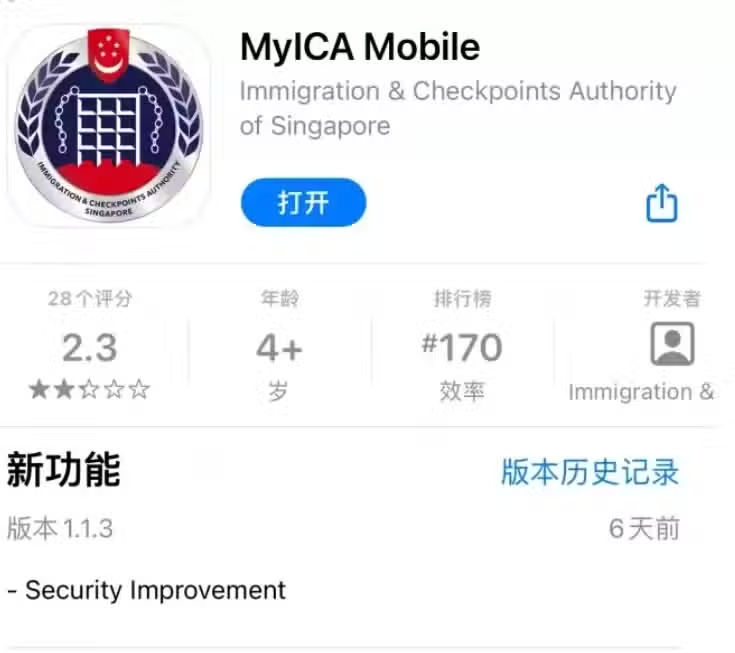
1.IOS系統手機下載MyICA Mobile app

/www/orgs.pro/web/images/image/1757/17571088.avif

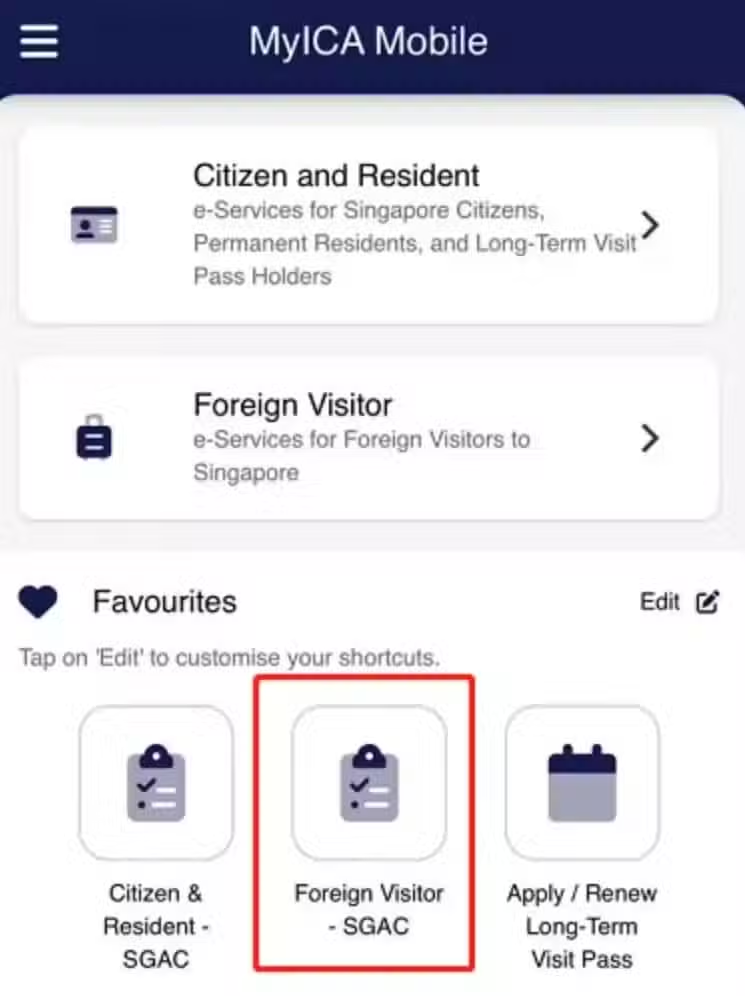
2.Foreign Visitor - SGAC

/www/orgs.pro/web/images/image/1757/17571089.avif

3.選擇語言 (右上角)

/www/orgs.pro/web/images/image/1757/17571090.avif

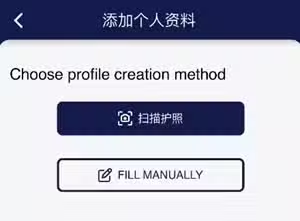
4.提交個人資料

可以選擇掃描護照或者手動填護照資料

/www/orgs.pro/web/images/image/1757/17571091.avif

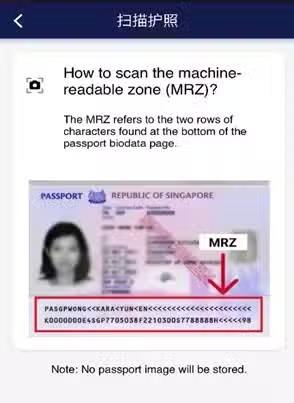
掃描介面:

/www/orgs.pro/web/images/image/1757/17571092.avif

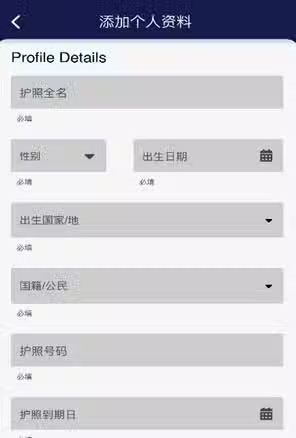
手動填寫介面:

/www/orgs.pro/web/images/image/1757/17571093.avif

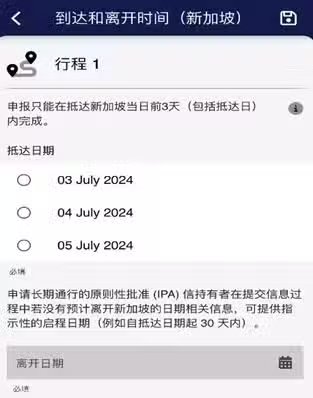
5.填寫抵達日期和離開日期

/www/orgs.pro/web/images/image/1757/17571094.avif

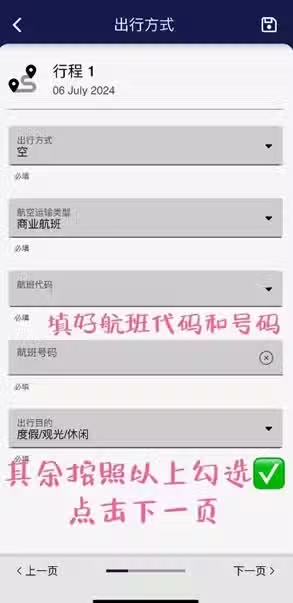
6.填寫航班號和酒店地址

/www/orgs.pro/web/images/image/1757/17571095.avif
/www/orgs.pro/web/images/image/1757/17571096.avif
/www/orgs.pro/web/images/image/1757/17571097.avif
/www/orgs.pro/web/images/image/1757/17571098.avif

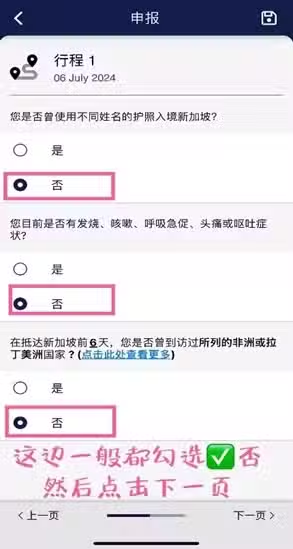
7.填寫個人資料

/www/orgs.pro/web/images/image/1757/17571099.avif
/www/orgs.pro/web/images/image/1757/17571100.avif

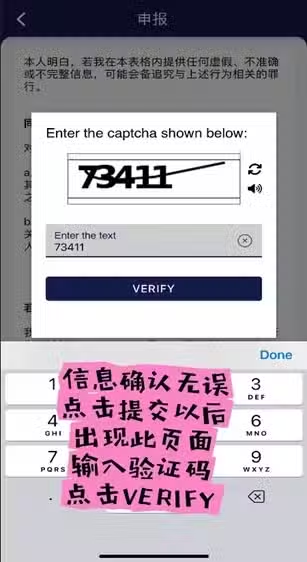
8.完成填寫

/www/orgs.pro/web/images/image/1757/17571101.avif
/www/orgs.pro/web/images/image/1757/17571102.avif
/www/orgs.pro/web/images/image/1757/17571105.avif

及時獲取本站更新:

設為 Google 偏好來源

繼續閱讀